Product
Monitor one Dagu server for free
Dagu Console now monitors one Dagu server per workspace for free: its health, its runs, and an email when a workflow fails or the server goes quiet. It needs Dagu v2.19.2.
TL;DR Dagu Console now monitors one Dagu server per workspace for free. You see the server's health and runs in one place, and you get an email when a workflow fails or the server stops reporting. Update to Dagu v2.19.2, open Plan & features, and select Connect for free.
A Dagu server is complete on its own. It runs its own scheduler, keeps its own run history, and serves its own web UI. That is a large part of why it is easy to run. It is also why it is easy to stop watching.
Nobody keeps a workflow engine's web UI open all day. A job that started failing on Tuesday tends to be found on Thursday, by whoever needed its output. A scheduler that stopped raises no error at all. The scheduled runs just do not happen.
Monitoring in Dagu Console is for that. A server reports its health and its runs to the console, and the console emails you when something goes wrong. Until today, it needed a Team or Pro plan or a 14-day trial, so most Dagu servers, which run on Community without any license, could not use it. Now the first server in a workspace can, for free.
What you get
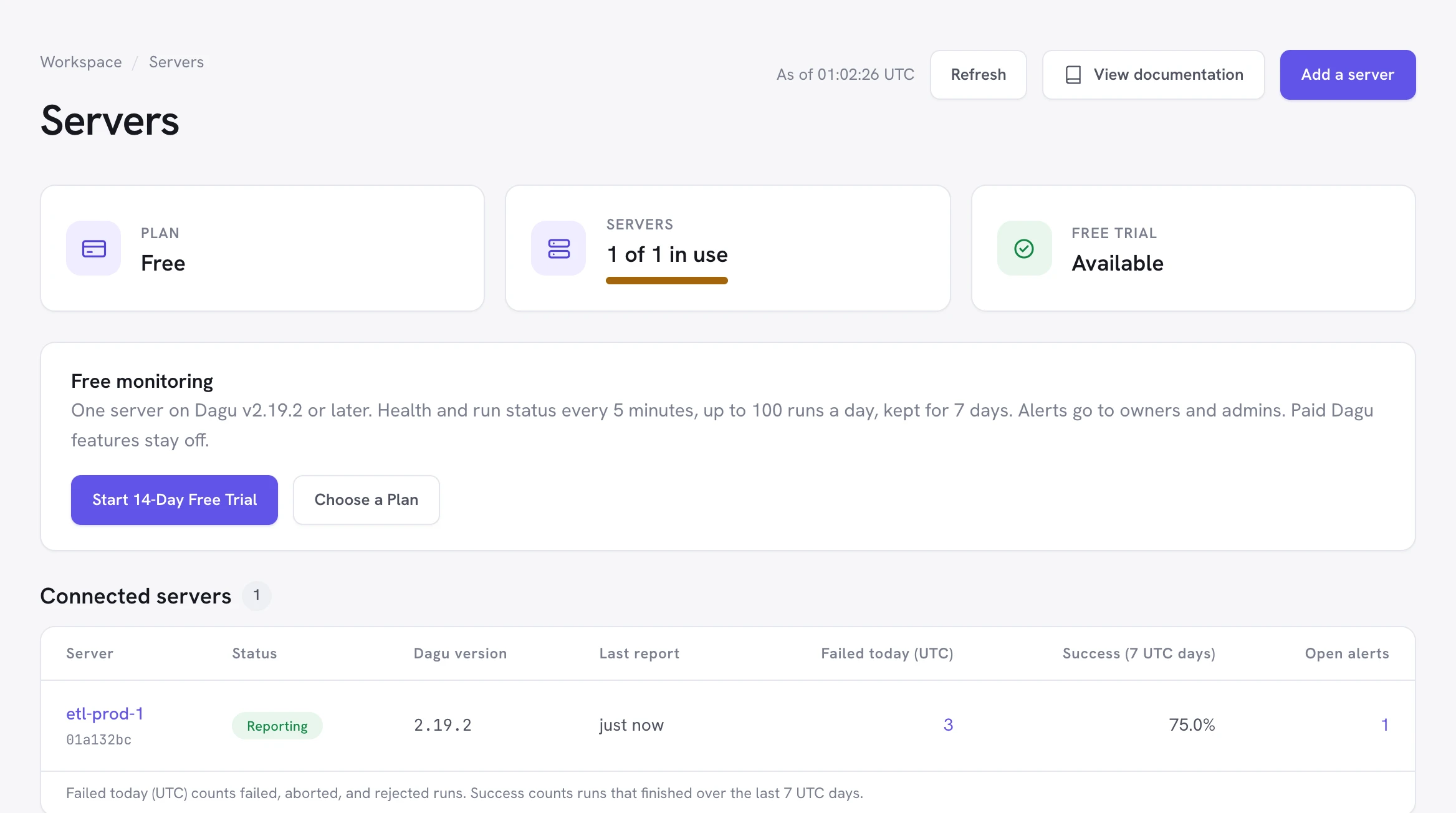
- The server at a glance: whether it is reporting, its Dagu version, its scheduler, its runs in progress, and what failed today.
- An email when a workflow fails, and another when a later run succeeds. A workflow that keeps failing keeps one alert open instead of sending an email per run.
- An email when the server goes quiet, after 25 minutes without a report, and another when it reports again.
- Run history and trends: the last 7 days of runs, and each workflow's runs, success rate, and duration over 7 or 30 days.
What leaves your server
Monitoring is off until an administrator of the server turns it on. It then sends metadata over outbound HTTPS, and nothing else:
- Health: the Dagu version, the operating system and architecture, when the process started, and how many schedulers and coordinators are running.
- Run status, if you choose it: each finished run's DAG name, run ID, status, trigger, and times, the names of its failed steps, and the runs in progress.
Logs, outputs, parameters, environment variables, step commands, DAG YAML, secret values, and error messages are never sent. Nothing connects into the server, and Plan & features shows the exact JSON of the last report.
Your workflows keep running on your server whether or not the console can be reached. Dagu Console never runs them.
Set it up
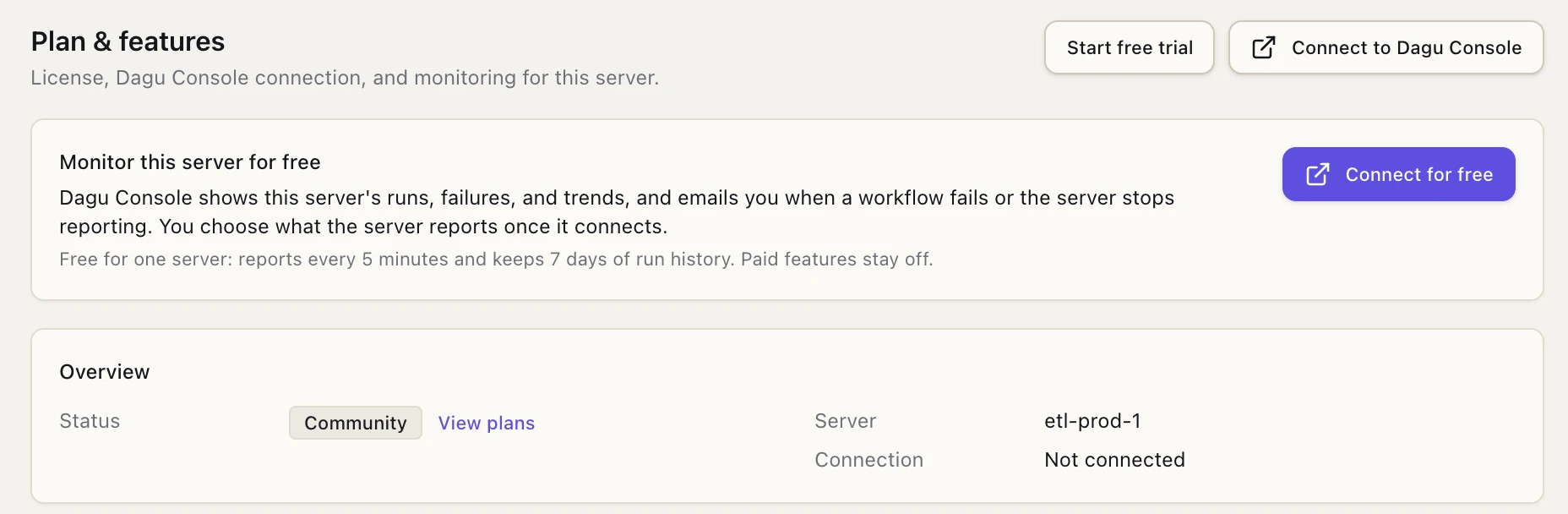
On a Community server running Dagu v2.19.2 or later, Plan & features offers it directly:
- Update the server to Dagu v2.19.2 or later.
- As an administrator, open Plan & features and select Connect for free. From a shell,
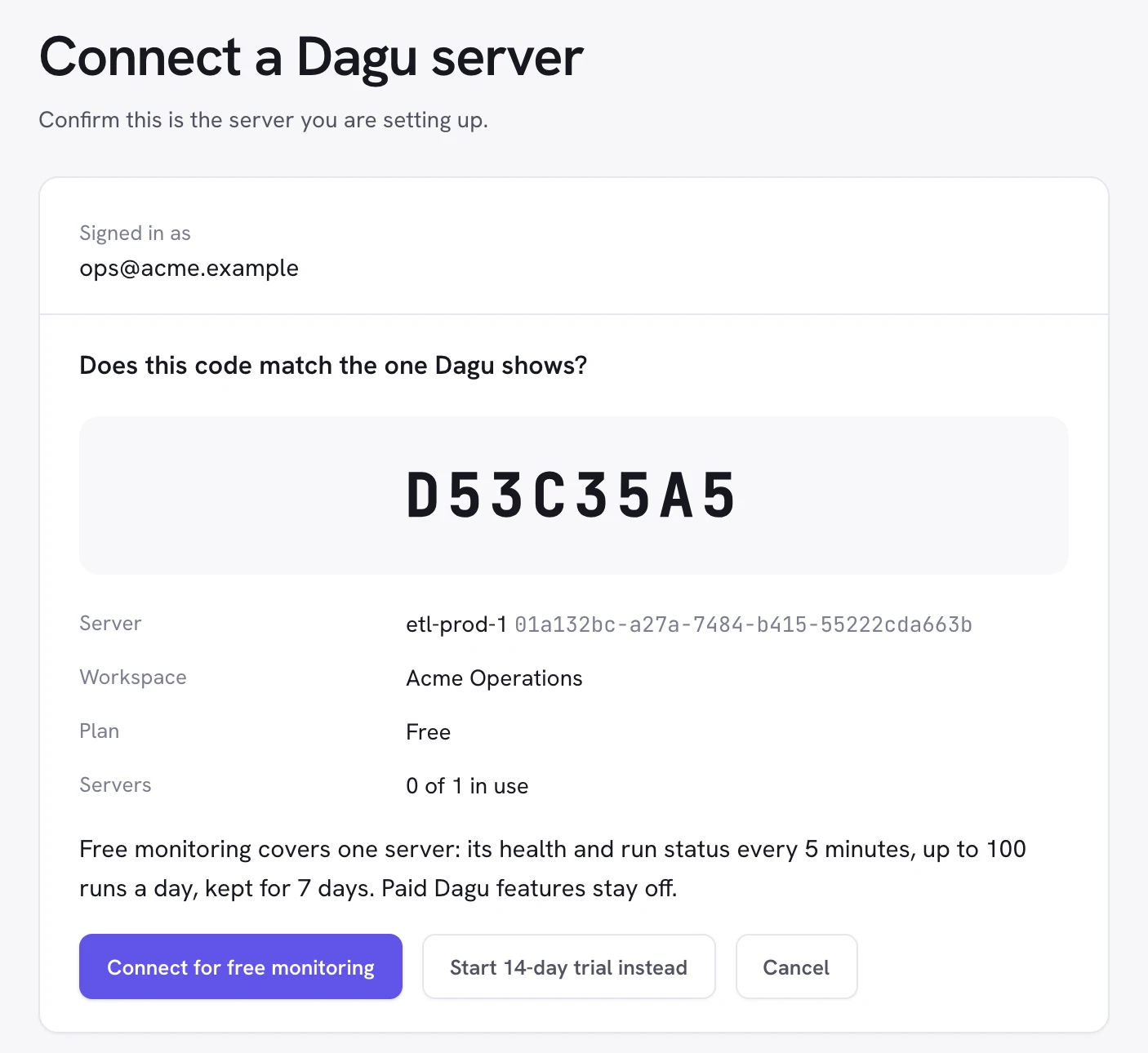
dagu license activatedoes the same. - Dagu Console opens in your browser. Sign in, or sign up for a free account. Check that the code matches the one Dagu shows, and select Connect for free monitoring.
- Back in Dagu, choose Health and run status.
The server shows up as Reporting on the console's Servers page within five minutes. Workspace owners and admins get the alert emails from then on.
For servers in containers, create a server key on the console's Servers page and start Dagu with DAGU_LICENSE_KEY set to it. Keep Dagu's data directory on persistent storage, or every new container counts as a new server.
Free and paid
The free tier is the same monitoring with lower limits:
| Free | Trial, Team, or Pro | |
|---|---|---|
| Servers | 1 per workspace | 1 in a trial, 3 on Team, 15 on Pro |
| Reports | Every 5 minutes | Every 60 seconds |
| Alert when a server goes quiet | After 25 minutes | After 10 minutes |
| Finished runs stored per day | 100 | 500 |
| Run history | 7 days | 14 days |
| Insights | 7 or 30 days | 7, 30, or 90 days |
| Alert emails | Owners and admins | Also the members and addresses you add |
A free server stays on Community. Single sign-on, role-based access, audit logs, incident routing, and more than two API keys stay off. That is also why free monitoring needs v2.19.2: earlier releases treat any license from the console as a paid one, so the console asks an older server to update before it connects for free.
Starting a trial or a plan moves the server onto it at once. Dagu picks up the new license at its next hourly check-in, or right away with Check now on Plan & features. When the trial or plan ends, the server falls back to free monitoring, provided no other server holds the free slot. Monitoring is in beta, so these limits may change.
Try it
Update one server, connect it, and leave it for a week. The monitoring docs cover every setting, and Dagu Console is where the server shows up. If something gets in your way, tell us on Discord.
The best time to learn a job has stopped running is before anyone needs its output.
Written by
Contributor to the Dagu project.
More from Yota Hamada